Consent Toolkit
Making informed consent easier to build.
Designing a web-based toolkit that helps clinical trial teams create consent forms to help include pregnant and lactating individuals in research.
MVP currently deployed as a web app in collaboration with developers.
The policy existed. The practice didn't.
The consent form was the last mile between policy and practice — and nobody had designed it.
of 2020 inclusion recommendations unmet by 2024
of 2019–2023 trial submissions included pregnant individuals
avg. medications taken during pregnancy without trial evidence
We're not protecting pregnant people from research. We're protecting them from the possibility of evidence.
31 real documents.
22 themes. One design problem.
I started where the problem lived — inside 31 real consent forms. I mapped language patterns against ICH E21 international guidelines into 22 themes.
My primary research was document-based and feedback-based from investigators. I didn't do user interviews or usability testing at this stage, but I did share my findings and early designs with a network of 10+ researchers for feedback and validation. That feedback was crucial to making sure I was interpreting the data correctly and designing in a way that would actually meet researchers' needs.
Content structure emerged
from evidence, not assumptions.
The 22 coded themes became the information architecture.
3 constraints shaped the final design.
Each constraint was a decision made in response to a real friction point discovered through the research.
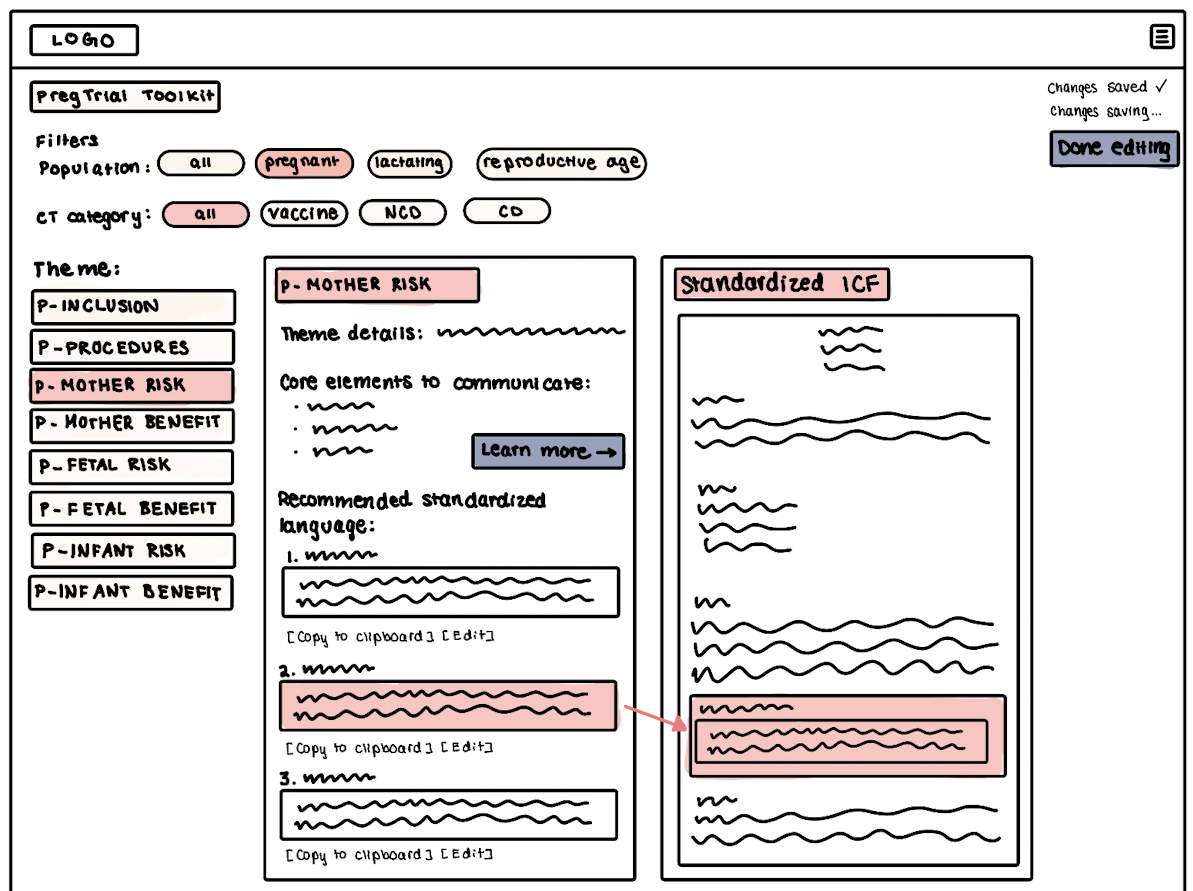
Organizing by population felt logical in theory but created friction in practice.
A researcher drafting a consent form thinks in chronological sections within the flow of a form, not in population categories.
Reordering themes = less cognitive load = less scrolling to find what they needed.
Two buttons per module sounds helpful — it's actually clutter.
Copy-paste requires the user to context-switch.
Inline editing keeps everything in one place and one motion = less friction.
A top-level population filter assumed researchers would only ever need language for one group at a time.
In reality, most trials involve different participant populations at different stages.
Embedding population context within each section lets researchers stay flexible. Doesn't force them to commit to one population for the entire process.
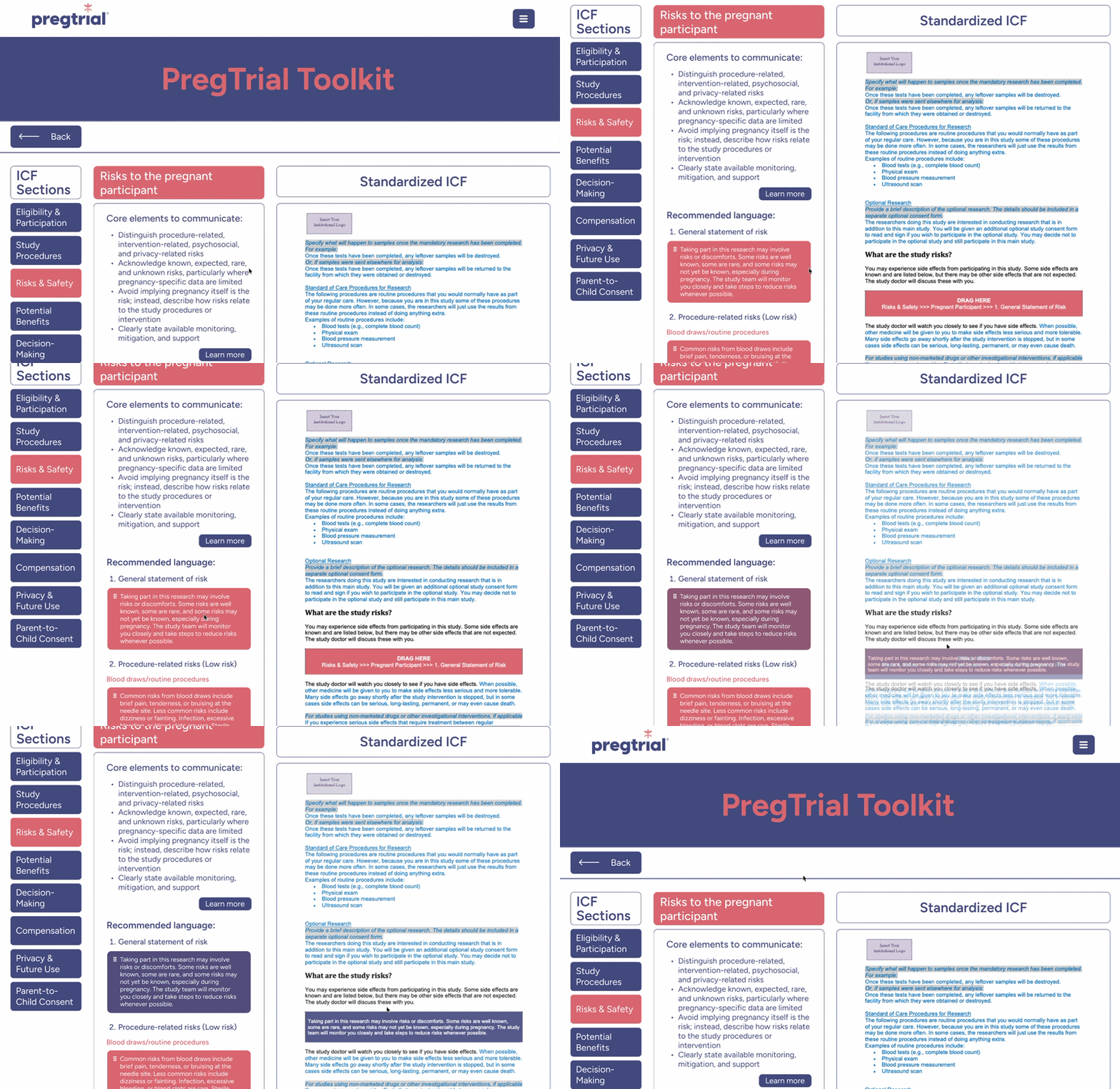
Drag, drop, done.
Researchers drag standardized language modules — organized by the 22 themes — directly into the matching sections of a CanReview consent form template. Everything is editable. The tool gives a starting point, not a final answer.
Why drag-and-drop?
Consent drafting requires a lot of copy-pasting = context-switching.
Drag-and-drop keeps the user in one workflow and makes the spatial relationship between language and form section explicit.
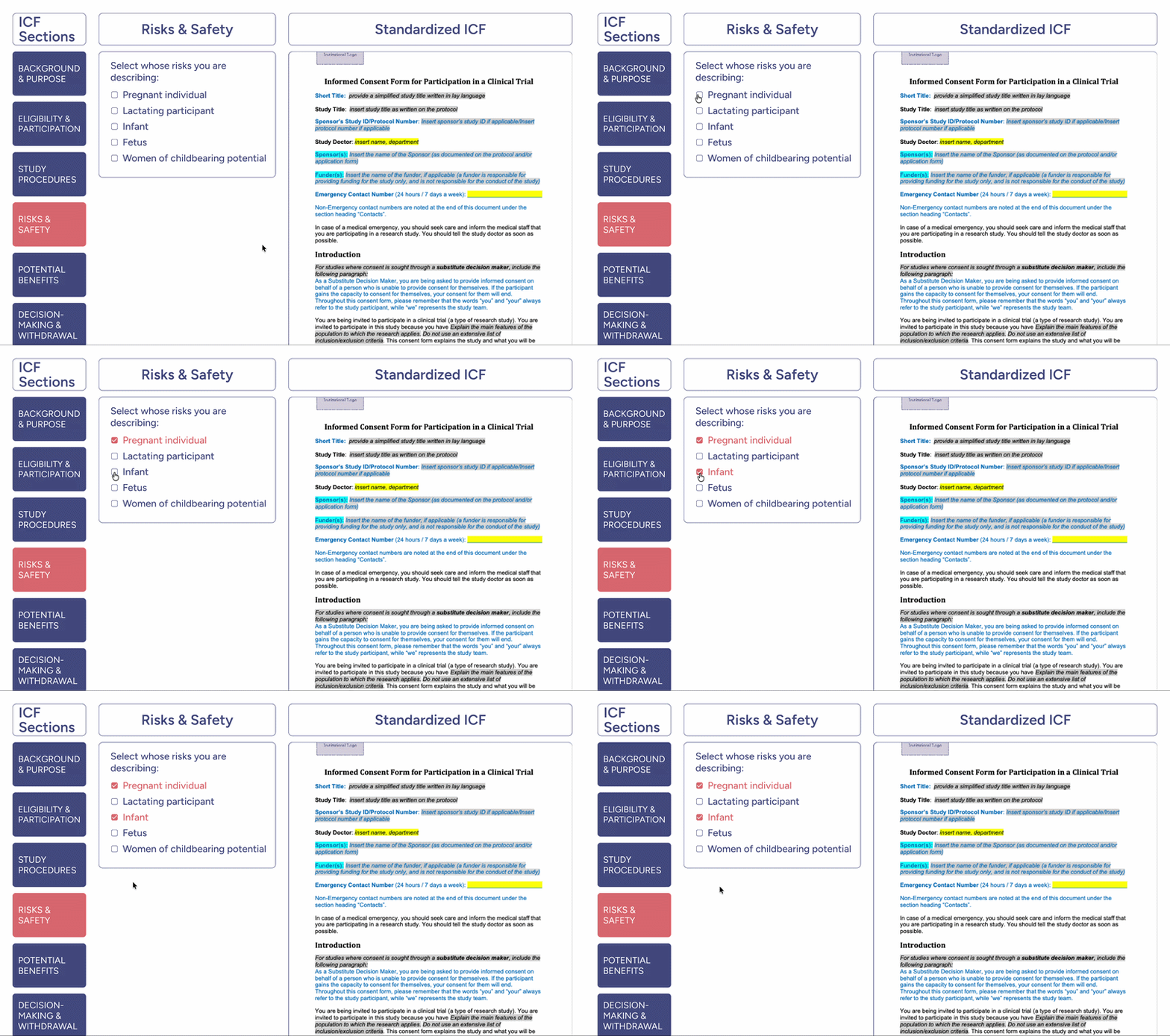
Thematic organization
Embedding population context within each section lets researchers stay flexible.
They pick the language that fits their specific participant at a specific stage.
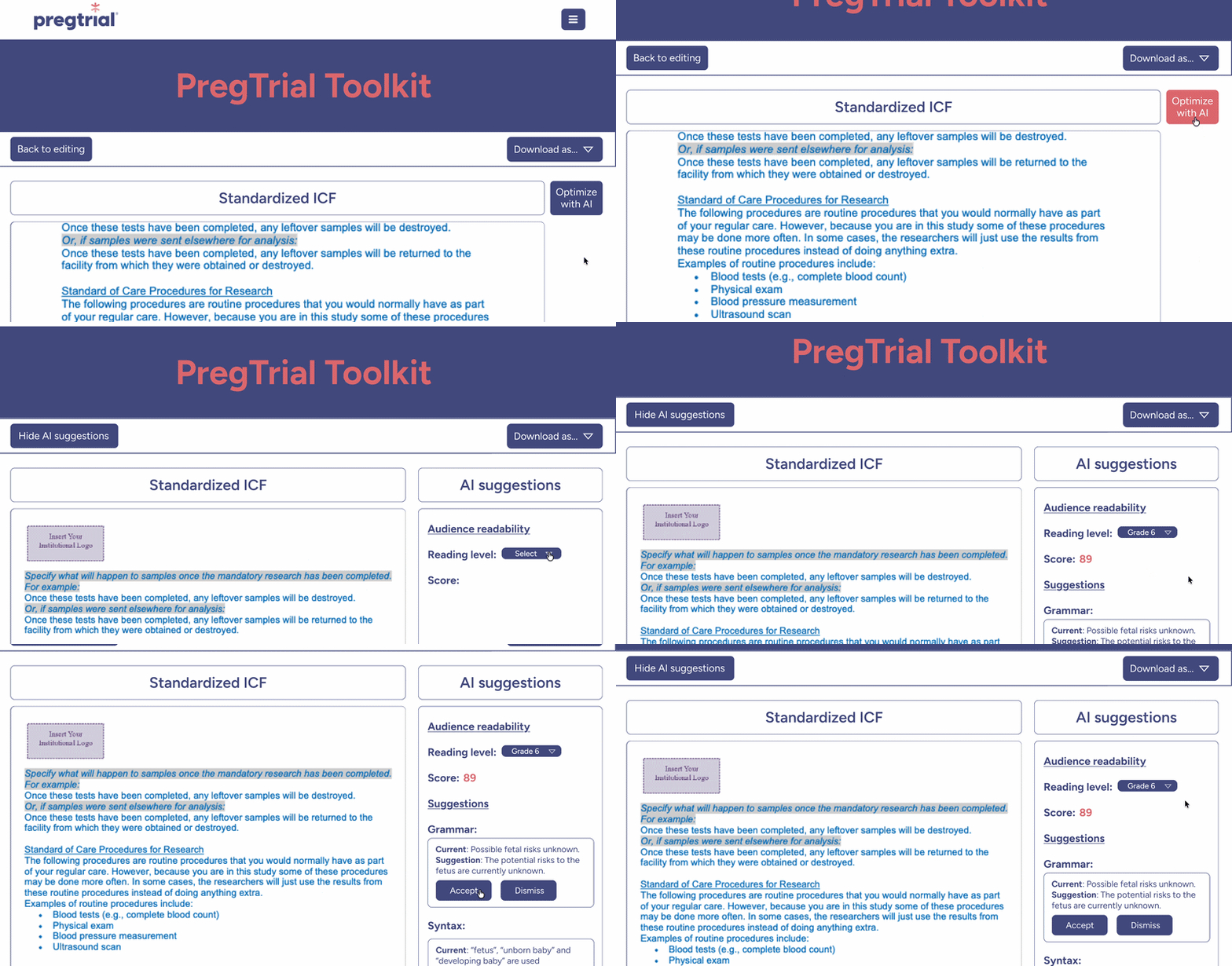
AI Optimization
Investigators are more and more comfortable with AI-assisted writing.
An optional grammar optimization feature gives researchers a polished first draft that is still fully editable.
The feature is intended to support editing, while researchers remain responsible for reviewing the final language for accuracy and regulatory suitability.
From prototype to working MVP.
Following the high-fidelity Figma prototype, an external development team built a functional MVP of the Consent Toolkit. Conference workshop participants explored the demo using clinical research scenarios.
What happened when people used it?
Some participants appreciated the prepopulated consent language and organization by form section. Feedback also revealed friction in learning the interface, navigating language options, and controlling edits.
Lessons
Building the consent toolkit taught me how to design a tool to link evidence found in paperwork and put it into practice in a real-world workflow.
Logical doesn't translate to intuitive all the time
Organizing consent language around the structure of a consent form was an important design decision, but the workshop showed me that a logical IA is only part of the experience. Researchers also need to understand where to begin, which options are relevant, and how to interact with the tool without extensive guidance.
A clinical tool has to ride the line between trust and usefulness
Designing for trust in a clinical context means the tool can't just be useful; it has to feel trust-worthy. Researchers and clinicians carry real responsibility for real people. They won't get on board with something that further complicates their workflow or lacks credibility.