Adding a class
Translate your class schedule into a countdown.
INDEPENDENT PRODUCT · 2026 · LIVE WEB APP
Pikolo turns class schedules into a countdown of remaining hours, giving students a visual way to see their progress through a semester.
What if students could see the hours of class they still have left, instead of only the days until the semester ends?
Design hypothesis: A class & hours countdown might make semester progress easier to grasp.
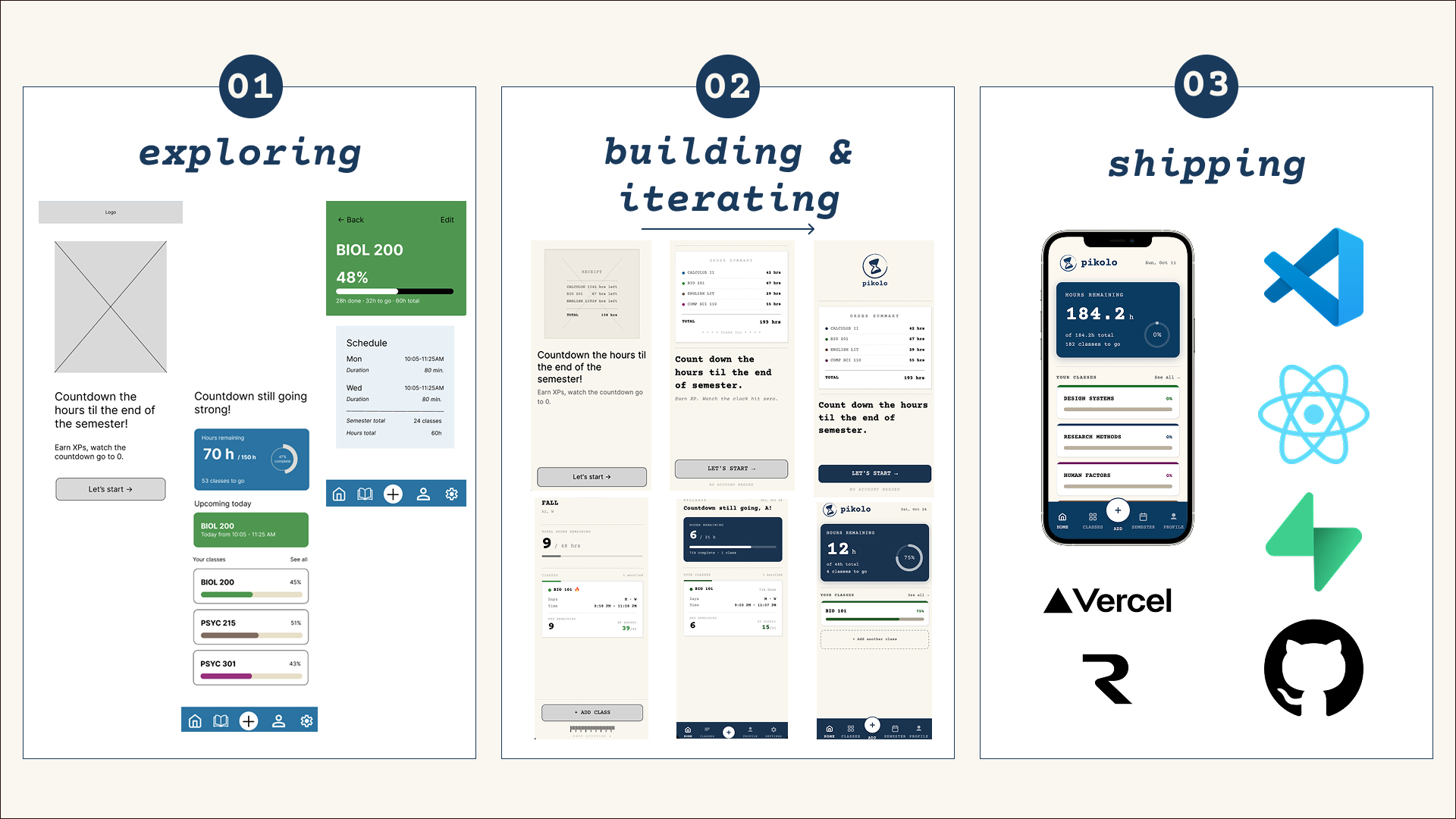
I started with low-fi designs in Figma. I experimented with different ways to show the semester and class progress.
I explored the interface and interactions in Figma Make. I developed the receipt-inspired UI and countdown experience.
The interface was built but making it work in code with real class schedules meant moving away from a prototype and into development.
The visual system is intentionally simple and trust-forward. I didn't want to add more distractions when students already feel overwhelmed with deadlines. I wanted something with a warm canvas and simple (but classy) typography.
Navy = main accent colour + warm cream = background
Courier Prime. A typewriter-feel for that receipt vibe.
112h
Hours remaining
Hours remaining
98h
of 151h total
Classes progress at slightly different rates.
The semester is itemised like a receipt: dashes, lines, stamps.
Calculating the remaining hours from the inputted class days, times, semester dates, and holiday schedules required logic.
Letting students save their classes and return to their semester progress required authentication, cloud storage, and row-level security with React, Vite, Tailwaind, and Supabase.
Adpting the UI and navigation for mobile, tablet, and desktop required responsive layouts so they could access their accounts anywhere!
Pikolo is a responsive web app that works with personalized class schedules.
EXPLORE PIKOLO ↗Three everyday interactions, from setting up a class to tracking progress through the semester.
Translate your class schedule into a countdown.
A quick glance at what the webapp offers.
Update a schedule as plans change, with class progress recalculating automatically.
My biggest takeaway from Pikolo's idea to development is that design is much more than the landing interface. Making a functioning product requires considering real data logic, different user states, and edge cases. Shipping Pikolo taught me to preemptively think of the entire system of a product before diving into too many details.
EXPLORE PIKOLO ↗